

Are your FBA products getting mixed up with your competitors’ inventory? You could be losing money, all because of incorrect or missing FNSKU labels.
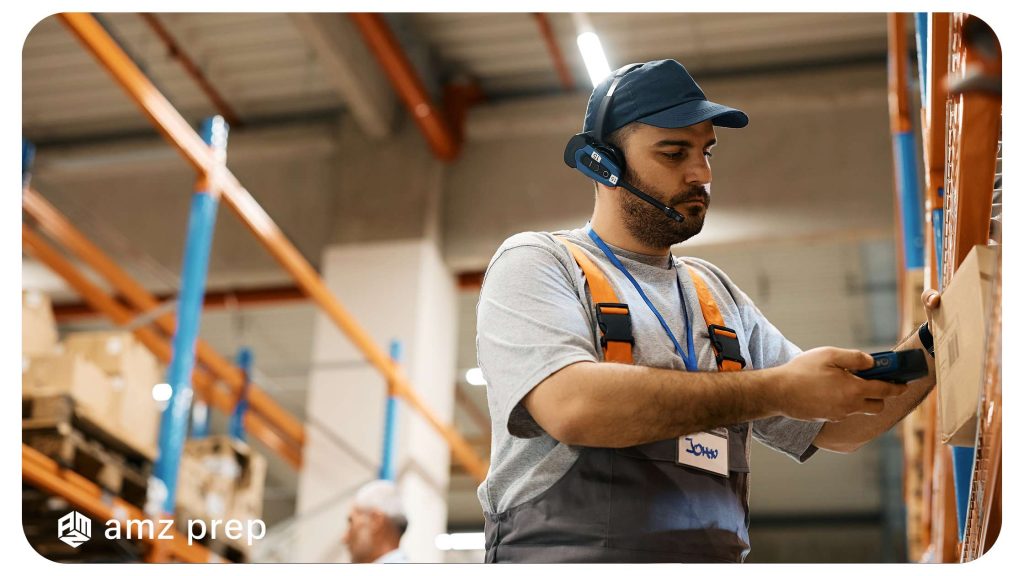
The term Fulfillment Network Stock Keeping Unit (FNSKU) is unique to Amazon and refers to barcodes that play a crucial role in product identification and tracking for sellers.
Similar to a UPC, FNSKUs are used by Amazon to label your products in their fulfillment centers. These labels are vital because they ensure you receive accurate credit when your item is shipped to a customer.
However, for new or even experienced sellers, understanding Amazon’s FNSKU labeling system can be confusing, and mistakes can lead to costly errors.
In this guide, you’ll learn exactly how to find, create, download, and troubleshoot FNSKU labels step-by-step, with tips on how to stay compliant, and how AMZprep can help streamline the entire process for you.
What is an FNSKU?
FNSKU, or Fulfillment Network Stock Keeping Unit, is a unique barcode used specifically by Amazon FBA (Fulfillment by Amazon) sellers.
Unlike standard barcodes such as UPC or EAN, the FNSKU is generated by Amazon and is exclusive to products stored and shipped through Amazon’s fulfillment centers. Its primary purpose is to help Amazon identify which seller a product belongs to — even if multiple sellers offer the same item.
This ensures accurate tracking, proper inventory management, and correct attribution of sales within Amazon’s system. FNSKUs are particularly important for sellers who want to avoid Amazon commingled inventory, where products from different sellers can be mixed together in Amazon’s warehouses.
This ensures accurate tracking, proper inventory management, and correct attribution of sales within Amazon’s system.
This is how it looks like

Importance of Using Amazon FNSKU
Amazon customizes FNSKU to design product labels. It serves the unique purpose of your product. However, there will be a chance for the same product but a different seller.
If you’re using the same UPC to ship the same product, they will likely ship together. To avoid confusion, Amazon desires all sellers to include the FNSKU on the product’s shipping label. This makes it easy to match each product to the appropriate reseller.
Amazon only supports products that have an FNSKU barcode. It should match with the ASIN, where no extra label is needed. It is less expensive and easier.
Should we use FNSKU labels?
FNSKU is to be used by all FBA resellers. In particular, trademark owners who are sellers in the trademark register.
Using FNSKU makes monitoring inventory across the Amazon ecosystem easy and troubleshoots issues ranging from inventory leaks to intellectual property violations.
To get this barcode, amazon sellers must add FNSKU labels to every package sent to Amazon. If you use UPC or skip this part, your product sent in can be conflated.
How to create an Amazon FNSKU?
Follow the below steps to create an FNSKU in Amazon seller central.
Step 1: In the central seller page, you can see the settings option; choose fulfillment by Amazon.
Step 2: Select FBA product barcode preference from the drop-down list and click on edit
Step 3: Select the Amazon barcode and click on update
Step 4: Select manage FBA inventory from the inventory drop-down
Step 5: Upload the latest product
Step 6: Return to the managed FBA inventory after listing and check whether the FNSKU was added.
How to Print FNSKU labels?
Step 1: From seller central, visit inventory and choose to manage inventory.
Step 2: Select the item you need to print the label for.
Step 3: Select print item labels.
Step 4: Choose the size labels and print.
Step 5: Apply this to your products.
How is FNSKU different from ASIN and UPC?
While FNSKU, ASIN, and UPC are all product identifiers used on Amazon, they serve very different purposes, especially when it comes to how your inventory is handled within Amazon’s fulfillment system.
Let’s break it down:
- FNSKU (Fulfillment Network Stock Keeping Unit) is the most specific identifier for Amazon FBA sellers and is designed to align with Amazon barcode guidelines for accurate seller specific inventory tracking. It links your product directly to your seller account, ensuring Amazon knows the inventory belongs to you and not another seller even if they sell the exact same item. This is essential for brand protection, accurate reimbursements, and preventing inventory mix-ups.
- ASIN (Amazon Standard Identification Number) is Amazon’s internal catalog ID for a product. Every product listing has one, and it’s shared across all sellers who offer that same product. While it helps Amazon organize listings, it doesn’t identify the individual seller behind a unit of inventory.
- UPC (Universal Product Code) is a global product identifier found on retail packaging. It identifies the product itself, regardless of who sells it or where. On Amazon, it’s often used to create a product listing—but it doesn’t help Amazon differentiate between sellers when fulfilling orders, especially in FBA.
If you’re using FBA, Amazon gives you a choice:
- Use FNSKUs to keep your inventory separate and clearly associated with your seller account, or
- Use commingled inventory, where Amazon uses the UPC and mixes your units with other sellers’ (which may result in attribution, quality, or counterfeit issues).
| Aspect | FNSKU | ASIN | UPC |
|---|---|---|---|
| Used By | Amazon FBA sellers | All Amazon sellers | Global retailers and manufacturers |
| Identifies | A product and its seller on Amazon | A product listing on Amazon | A product (regardless of platform or seller) |
| Uniqueness | Unique per seller per product | Shared across sellers selling the same product | Shared for identical products across all marketplaces |
| Scope | Amazon FBA only | Amazon-only catalog system | Global retail and marketplaces |
| Barcode Type | Amazon-generated label | Not scannable or visible as barcode | Manufacturer barcode |
| Seller-Specific? | Yes | No | No |
| Used for Listing? | No | Yes | Yes (or GTIN exemption) |
| Used in FBA? | Yes – preferred for private label | No | Optional (for commingled inventory, less control) |
| Risk of Inventory Mixing | Low – seller-specific tracking | High – no link to seller | High – seller identity not preserved in commingled FBA |
| Best For | Private label, high control, brand protection | Cataloging products on Amazon | Creating listings and selling across multiple platforms |
What if my item does not have an FNSKU barcode?
If your product has a unique UPC or EAN under your brand, you can opt out of FNSKU.
However, Amazon still has the right to stop processing shipments if it does not have FNSKU.
Therefore, it is always better to mark your product with FNSKU, even if it has a unique EAN number.
On the other hand, if you sell a joint product that is also sold by many others, you need an FNSKU.
Otherwise, your inventory will be mixed with all other items with similar EAN numbers and thrown into the same bin.
Sellers never want to co-mingle for their inventories.
The poor handling not only damaged the packaging but also the product.
Without the Amazon FNSKU label, your product can get mixed with another seller’s model.
It also helps to prevent fraud.
Is it mandatory to use the FNSKU barcode?
No, it is not mandatory, as amazon never forced you to use the barcode for your inventory.
But there are some rare occasions where you need to use this, such as selling consumable products.
In most cases, you can choose whether you will add the barcode.
What are the Advantages of using the FNSKU barcode?
Some of the main advantages of using FNSKU barcode include:
Avoid Commingled Stock
The most significant advantage of using FNSKU is that Amazon keeps tracking your specific products within its fulfillment procedure, meaning you can avoid commingling stock.
Commingling stock means when several sellers store the same item with a similar manufacturer barcode in the fulfillment center of Amazon.
This mixed-up inventory is not a problem for wholesale sellers or who have an arbitrage business model.
FNSKU avoids this problem, and it is the main reason why it’s a recommended course.
Save Money
Another supplemental advantage is that it is free.
Where you need to pay an EAN number or UPC to your item, you don’t need to add any scannable barcode.
What are the disadvantages of using the FNSKU barcode?
There is only one minor disadvantage of using FNSKU labels;
FNSKU is not for retail:
If you want to grow your private label brand and take your goods into retail stores one day, you won’t be able to add an FNSKU barcode as your ID label.
Instead, you can use a manufacturer barcode.
Where to find an FNSKU?
Before getting an FNSKU, you must ensure that your product is FBA, not FBM.
Amazon assigns you ab FNSKU when you launch your product and catalog the item.
You must export the barcode and add the FNSKU label to your product packaging label.
Conclusion:
You need to know these things to label the FNSKU on Amazon. With this barcode, you will get paid after your product gets sold. If the barcode is missing or there is any mistake, you will not get paid even after your product sells. So it’s important to add this to your product packaging labels.
FAQ
What are the label requirements for FNSKUs on Amazon?
Amazon has specific standards for labeling products with FNSKUs. Sellers can find detailed guidelines and label requirements in the Amazon Seller Central platform to ensure compliance with labeling standards.
What is the difference between an Amazon barcode vs manufacturer barcode?
An Amazon barcode refers to the FNSKU barcode used by Amazon for internal tracking, while a manufacturer barcode is typically a UPC or EAN barcode provided by the product’s manufacturer for general retail purposes. The two serve different functions within the Amazon ecosystem.
Should I use an ASIN label or an FNSKU label on my products?
For products sold through Amazon’s fulfillment network, it is necessary to use FNSKU labels. ASIN labels are not used for tracking and fulfillment purposes within Amazon’s system.
How much do you charge?
It depends.
We value your business and like to make assessments on a case-by-case basis, so we can find the best fit for your requirements.
In most cases, if you’re doing over 100-200 orders per month on Amazon, you will qualify to use our Amazon FBA order fulfillment services.
Didn’t find your answers? Contact us
Looking for a fulfillment solution?

Danny is a Fulfillment Expert at AMZ Prep who has established himself as a leader in supply chain optimization. His proven methodologies have helped organizations reduce fulfillment errors by 95%, implement sustainable packaging programs, and build distribution networks that scale profitably.






Comments