
Shopify powers over 5.6 million stores across 175+ countries, and if you’re a part of that, you know it’s more than just a platform—it’s your business backbone. If you’re not, I am sad to say you are missing out on a very lucrative pie. $7.1 billion was the revenue for Shopify last year.
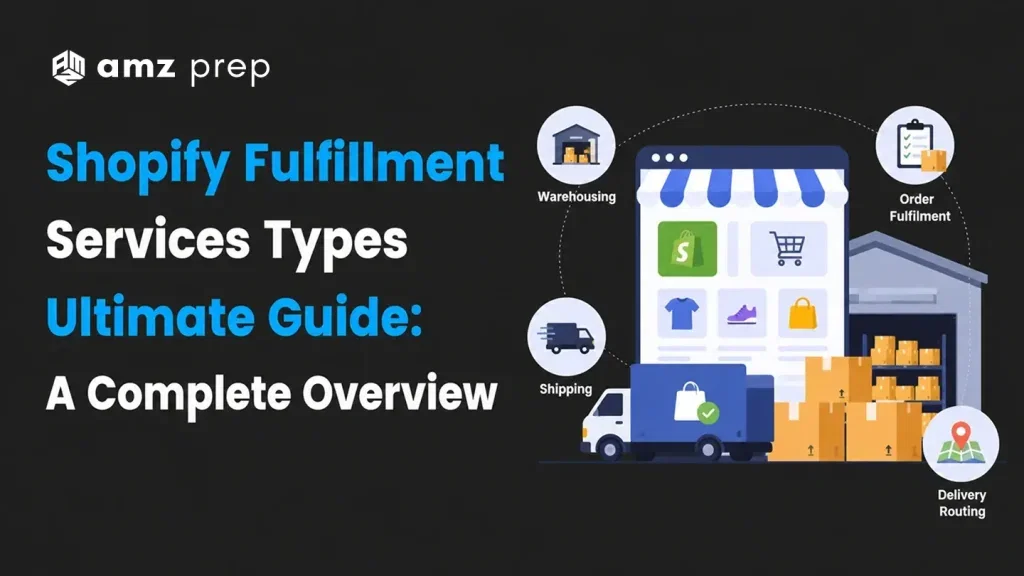
This growth mirrors the success of its merchants. But here’s the deal: Growing means scaling your store, which means nailing fulfillment. That’s where Shopify 3PL Fulfillment Service come in, offering quick options like 2-3 day delivery and custom solutions to fit your needs. Let’s explore how Shopify Order Fulfillment can help keep your customers happy and your business thriving.
What are Fulfillment Services in Shopify?
Shopify Fulfillment Services is Shopify Fulfillment Network. To put it simply, it is a program by Shopify in which the Shopify merchants can let Shopify handle the Order Fulfillment duties. It is like FBA( Fulfillment by Amazon) but by Shopify. Before we get started, let’s briefly touch upon Flexport. Flexport is Shopify’s logistics partner as Shopify logistics were sold to Flexport on June 30 2023.
Shopify offers fulfillment services in the US, Canada and the UK, making it easier for local merchants to manage inventory and shipping. With over 153,000 Shopify stores in the UK—mostly in England—and holding a market share of over 30% in Canada, Shopify leads the e-commerce platform market in both regions.
How do I create a Fulfillment Service for Shopify?
Here’s how Shopify Fulfillment Network (SFN) works from the moment your inventory arrives at Shopify fulfillment center to the time it reaches your customer
- Inventory Reception
Send your products to a centralized location. From here, the inventory distributes stock across its network based on demand.
- Order Processing and Integration
Orders are synced automatically with the SFN app, eliminating manual input.
- Picking and Packing
Your preferred provider’s team picks items accurately, packs them securely, and prepares them for shipment.
- Shipping and Tracking
Orders ship using SFN’s network, with delivery speed and cost options designed to suit your business’s needs.
- Return Management
SFN receives and inspects returns, then restocks inventory—saving you from having to handle these logistics yourself.
If you’re curious about the various types of inventory management tools available on the market,
Here’s a Blog on Top 10 Best Inventory Management Tools for Success for you.
The Key Advantages of Choosing SFN
With SFN, you’re choosing an efficient cost-effective, and scalable solution that benefits your business in multiple ways:
- Ease of Use
Setup and integration are simple. Manage everything from your Shopify dashboard.
- Fast Shipping
Nationwide 2-3 day delivery helps you meet customer expectations.
- Lower Overheads
No need for your own warehouse or logistics team. Before deciding whether SFN or a third-party provider saves you more, it is worth taking a few minutes to estimate your shipping costs based on your actual product weight and destination mix so you are comparing real numbers rather than assumptions.
What Are the Requirements for Shopify Fulfillment?
The requirements depend on the fulfillment type:
- Custom Fulfillment Services: Your provider must be able to process orders through email.
- Shopify Fulfillment Network (SFN): Specific requirements include:
- Your business must sell to U.S. customers.
- Products need to meet Shopify’s packaging standards (contact Shopify for exact specs).
- Items cannot be on Shopify’s restricted product list.
- An active Shopify Payments account is required.
Signing Up for the Shopify Fulfillment Network (SFN) App
Here’s how you can sign up and connect with your preferred fulfillment partner.
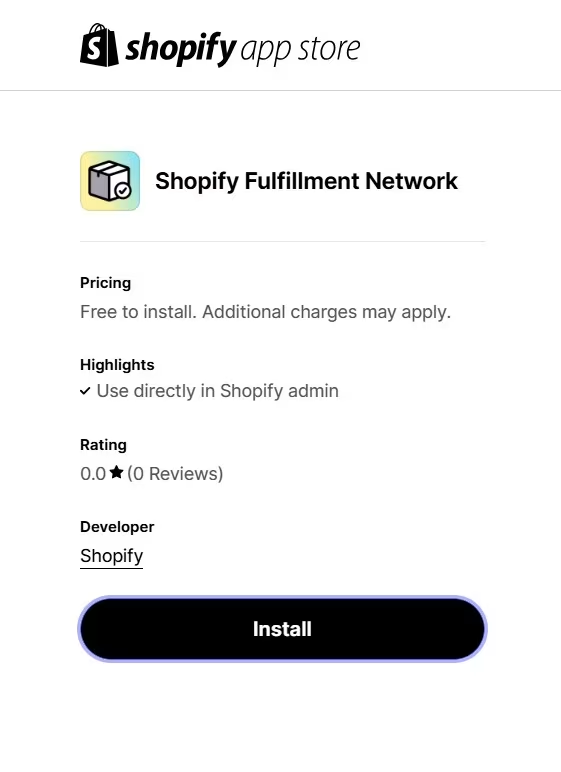
1. Install the SFN App
Shopify App Store is available on iOs and Android; search for the Shopify Fulfillment Network (SFN) app and install
2. Connect with to preferred Partner
Once installed, the app allows you to connect to your partner using your existing Shopify account. No new credentials are needed.
3. Sync Data for Seamless Integration
The app syncs your Shopify store with your fulfillment method, enabling real-time inventory management, order fulfillment, and tracking—all within your Shopify admin.
4. Explore Services
Before fully committing, the SFN app allows you to explore SFN’s services and pricing. You can see what’s available and assess if it’s the right fit for your business.
5. Test the Fulfillment Process
To get a feel for the service, you can start by sending a small batch of products. This trial run helps you evaluate the fulfillment process before committing your full inventory.
6. Direct Support
Once you’re connected, you can communicate directly with fulfillment experts through the app.
No Barriers to Entry
The app is easy to set up with no minimum order quantities or additional requirements, making it accessible for businesses of all sizes.
Inventory Distribution in SFN
Once connected, SFN simplifies inventory handling. Merchants send inventory to a single location, and takes care of distributing products across its U.S. fulfillment centers based on demand.
How to Do Order Fulfillment in Shopify?
Once your fulfillment method is set up
- When an order is ready, mark it as fulfilled in Shopify. For custom services, this action will trigger an email to your provider with order details.
- If using SFN, Flexport handles the rest: picking, packing, and Shopify shipping Fulfillment.
Fulfillment Service Apps
SFN uses dedicated locations within Shopify, enabling apps to automate. Fulfillment service apps can approve/reject orders, automate workflows, and offer merchants a clear picture of order status. We will discuss at length in the following sections.
Fulfillment Options for Shopify Merchants
Depending on your business needs, you have three main fulfillment options:
- In-House Fulfillment
Handling storage, packing, and shipping independently is well-suited for smaller businesses, though it may become challenging.
- Dropshipping
Order Fulfillment duties are done by a Third-party supplier.
- Third-Party Logistics (3PL)
Dedicated order fulfillment services like SFN take on the full process from inventory storage and picking through to final order shipping removing the operational burden from your team entirely. For merchants who want greater carrier flexibility outside of SFN, pairing it with shipping software for ecommerce lets you compare rates across USPS, UPS, and FedEx and automate label printing at scale.
With SFN most U.S. orders arrive within 2-3 days, providing fast and reliable shipping options for customer satisfaction.
Businesses That Benefit from the Shopify Fulfillment Network (SFN)
The Shopify Fulfillment Network (SFN) is especially beneficial for businesses that meet certain criteria. Here’s a breakdown of the ideal business profiles for SFN
1. Location and Sales Focus
- U.S.-Based Operations
SFN is tailored for businesses operating within the United States. SFN fulfillment centers are strategically located across the country.
2. Product Suitability
- Wide Range of Eligible Products
Businesses should verify product eligibility by checking SFN’s product guidelines.
Examples of eligible products include:
- Print-on-Demand Books
SFN is ideal for businesses offering custom products, such as print-on-demand books.
- Custom Merchandise
Personalized products, including custom-made items, are supported.
- Other Product Types
SFN handles both direct-to-consumer and business-to-business products.
- Factors Affecting Eligibility
Certain packaging requirements and shipping regulations may restrict some items. Businesses should confirm eligibility before shipping.
3. Business Size and Growth Stage
- Startups and Growing Businesses
SFN is accessible to businesses of all sizes, including startups. The platform is ideal for those managing fewer than 400 shipments monthly.
- Moderate Order Volumes
SFN is accessible to businesses of all sizes, including startups. The platform is ideal for those managing fewer than 400 shipments monthly. Merchants who consistently exceed that threshold and need enterprise-grade logistics infrastructure should look into Shopify Plus fulfillment, which is built for high-volume operations with dedicated support, custom workflows, and expanded carrier options.
- Scalability
SFN’s features are designed to scale with your business.
4. Fulfillment Needs
- Fast and Reliable Delivery
SFN’s strategically placed fulfillment centers enable fast shipping.
- Simplified Returns
SFN also streamlines returns, making it easier and more cost-effective for businesses to handle this aspect of e-commerce.
5. Key Features That Support These Businesses
- Single-Location Inventory Shipping
Merchants can send inventory to a single location, reducing the need for managing multiple warehouses.
- Automated Shipping Optimization
SFN’s system automatically selects the best shipping methods based on speed and cost.
- Inventory Distribution Management
SFN distributes inventory across its network of fulfillment centers.
- Integrated Tracking and Management
The SFN app allows businesses to monitor inventory and order fulfillment directly within their Shopify admin.
Fulfillment Service Apps on Shopify
These apps range from third-party logistics (3PL) solutions to specialized tools and even custom integrations. Here’s an overview of the types of fulfillment apps available, how they manage fulfillment requests, and the role of Shopify’s GraphQL Admin API, specifically FulfillmentService objects and webhooks.
Types of Fulfillment Service Apps Available on Shopify
- Third-Party Logistics (3PL) Integrations
- These apps connect Shopify stores with external fulfillment providers.
- They automate the process of order routing, inventory tracking, and shipping.
- Specialized Fulfillment Solutions
- These apps cater to niche fulfillment needs, such as handling oversized items or managing subscription box fulfillment.
- Dropshipping Apps
- These apps integrate Shopify stores with suppliers who handle product storage and direct shipping to customers.
- Custom Fulfillment Integrations
- For businesses with unique fulfillment requirements, Shopify Partners can develop custom apps that integrate with specialized fulfillment services.
How Shopify Fulfillment Service Apps Handle Fulfillment Requests and Statuses?
The general workflow for how fulfillment service apps handle requests and manage order statuses is as follows:
- Order Placement
- A customer places an order on the Shopify store, triggering the app to receive the order details.
- Fulfillment Request
- The app generates a request for sending order details (items, quantities, shipping address) to the designated fulfillment service.
- Acceptance or Rejection
- The fulfillment service reviews the request and either accepts or rejects it.
- Status Updates
- The app receives updates on the order status from the fulfillment service, such as:
- Fulfillment request accepted or rejected
- Order picked, packed, and labeled
- Order shipped (with tracking info)
- Order delivered
- Order cancellation (requested, accepted, or rejected)
- The app receives updates on the order status from the fulfillment service, such as:
- Shopify Admin Synchronization:
- The app updates the order status in Shopify Admin to keep both systems synchronized.
- Customer Notifications:
- Based on the updates, the app sends automated notifications to customers, informing them about order progress, shipping, and delivery updates.
Migrating to Shopify’s Fulfillment Orders Workflow
Shopify’s newer FulfillmentOrder workflow changes the way fulfillment is managed by introducing the Fulfillment Order object. Here’s what you need to know when transitioning from the legacy Order and Fulfillment objects.
Why Migrate to the FulfillmentOrder Workflow?
Switching to the FulfillmentOrder workflow offers clear advantages over the older system
- Precise Location Assignment
The new workflow assigns a specific fulfillment location to each group of unfulfilled line items. This makes it easy to identify where each item needs fulfillment, avoiding confusion and potential misallocations. - Item Identification
The FulfillmentOrder object identifies items needing fulfillment without complex SKU matching or filtering. It directly associates relevant items, simplifying the fulfillment process. - Improved Communication
With a formalized notes system, FulfillmentOrder allows for better communication between apps and users. This transparency enhances the workflow, making it easier to track fulfillment requests. - Standardized Request Process
The new workflow standardizes both fulfillment and cancellation requests, helping reduce errors and ensuring smoother interactions between merchants and fulfillment services.
Shopify fulfillment partners and fulfillment centers streamline order processing, inventory management, and shipping, helping store owners efficiently fulfill orders.
Transitioning from Legacy Objects
Shopify requires that all apps adopt the FulfillmentOrder workflow by API version 2023-07. As of API version 2022-07, the older Order and Fulfillment workflow is no longer supported and has been deprecated.
Key Steps for a Successful Transition
Shopify’s official document, “Migrate to Fulfillment Orders,” provides in-depth instructions for developers. Here’s an outline to help you get started
- Access the “Migrate to Fulfillment Orders” Guide
Refer to Shopify’s official documentation for step-by-step guidance on migrating from the legacy workflow to the FulfillmentOrder system. - Understand Key API Objects and Relationships
Familiarize yourself with the following objects, as these form the foundation of the FulfillmentOrder workflow:- Order: Contains customer order information.
- FulfillmentOrder: Groups items that need fulfillment from the same location.
- FulfillmentOrderLineItem: Connects line items to fulfillment requests.
- FulfillmentService: Represents third-party fulfillment services.
- Location: Represents fulfillment locations for inventory storage.
- Adopt Real-time Updates with Webhooks
For dynamic interactions, set up webhooks for FulfillmentOrder events. This enables real-time notifications and faster response times for your fulfillment app.
Shopify’s GraphQL Admin API: FulfillmentService Objects and Webhooks
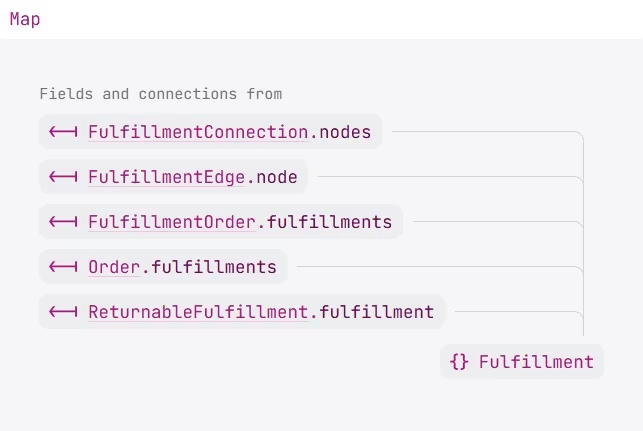
FulfillmentService Objects
- The FulfillmentService object in Shopify’s GraphQL Admin API represents external fulfillment services handling order preparation and shipping for merchants.
- Each FulfillmentService is linked to a unique location in Shopify, which ensures accurate tracking and inventory management.
Webhooks for Real-Time Notifications
- Key fulfillment-related webhooks include:
- fulfillment_orders/order_routing_complete
Triggered when an order is routed for fulfillment.
- fulfillment_orders/fulfillment_request_submitted
Notice for when a fulfillment request is made.
- fulfillment_orders/fulfillment_request_accepted
Confirms the fulfillment service has accepted the request.
- fulfillment_orders/fulfillment_request_rejected
Notice for when rejection of the fulfillment request.
Other webhooks are available for events like holds, cancellations, and fulfillment failures.
Setting Up and Managing Custom Fulfillment Services in Shopify
Here’s a step-by-step guide to set up custom fulfillment services
Step-by-Step Guide to Activating, Using, and Managing Custom Fulfillment Services
- Activate a Fulfillment Service
- Access Shipping and Delivery Settings
Go to Settings > Shipping and delivery in your Shopify admin. - Add Fulfillment Service
In the “Custom order fulfillment” section, click Add fulfillment service. - Provide Service Details
Enter the name and email of your custom fulfillment provider. - Save
Click Save to activate the service.
- Access Shipping and Delivery Settings
- Set Products for Custom Fulfillment
- Access Product Settings
Navigate to Products. - Select Product
Choose the product you want to be fulfilled by the custom service. - Choose Fulfillment Service
Under the “Inventory” section, use the Inventory will be stocked at dropdown to select your custom service. - Save Changes
Click Save to apply.
- Access Product Settings
- Send Fulfillment Request
- Mark Order as Fulfilled
Mark as fulfilled when the order is ready. - Email Notification
This action sends an email to your fulfillment service with order and customer details. - Partial Fulfillment
You can choose to fulfill the entire order or just part of it, sending relevant details to your provider.
- Mark Order as Fulfilled
Managing Custom Fulfillment Services
- Deleting a Fulfillment Service
- Ensure Rate Unavailability
Make sure the service’s rates are no longer offered at checkout. - Inventory Reassignment
Reassign any inventory linked to the service to another location. Do this on the Product pages by changing the fulfillment location. - Access Custom Fulfillment Settings
Go to Settings > Shipping and delivery in your Shopify admin. - Locate Service
In “Custom order fulfillment,” find the service you want to delete and click the “…” button. - Delete
Click Delete and confirm. - Alternative Deletion Method
If “Delete” isn’t available, check the Apps page.
- Ensure Rate Unavailability
- Reactivating a Fulfillment Service
- Account Status
Reactivation is possible if the account with the fulfillment service is in good standing. - Reactivation Process
Likely similar to initial activation, involving re-adding the service in the “Custom order fulfillment” section in Shipping and delivery settings.
- Account Status
Key Points for Setting Up Custom Fulfillment Services in Shopify
When setting up custom fulfillment services in Shopify, keep these essential points in mind:
- Email-Based Processing
Shopify’s custom fulfillment service setup relies on email notifications. When an order is marked as fulfilled, an email with order details goes to your fulfillment provider. This is ideal if your provider handles orders by email. - Custom App for Advanced Integration
Need more than email notifications? For things like automatic inventory updates, you may need custom Shopify app development to create a solution that connects directly with your fulfillment workflows. If you need experienced developers for custom integrations, comparing different staffing companies can help you find the right fit. - Shopify Fulfillment Network (SFN)
For a fully managed fulfillment option, Shopify offers the SFN, SFN gives you centralized inventory, 2-3 day delivery, and easy returns.
How do I hold fulfillment on Shopify?
If you need to pause fulfillment in Shopify, the platform offers several options to manage orders facing temporary issues. You might need to hold an order’s fulfillment due to reasons like flagged high-risk orders, stock shortages, or limits on order quantities. Shopify allows you to handle holds both manually and through automation, offering flexibility based on your Shopify Request fulfillment setup.
Manually Holding Fulfillment
To manually place a hold, navigate to the “Orders” page in your Shopify admin:
- Open the order you need to hold.
- In the “Unfulfilled” section, click on the three dots (…).
- Select “Hold fulfillment” and choose the items to place on hold.
- Specify a hold reason from the dropdown menu, then click “Hold fulfillment.”
Once held, the order’s fulfillment status changes to “On hold,” and the order is moved out of your “Unfulfilled” list until the hold is lifted. This prevents fulfillment, reserving inventory for the order until you decide to release the hold.
System Fulfillment Holds
Some apps or third-party services can automatically apply system holds based on certain conditions, such as:
- Authorization Pending: Sales channels (e.g., Facebook, Google) may hold orders for fraud checks and payment verification.
- Return Processing: Holds are placed on exchange items until returned items are inspected.
- Pending Upsell Offers: For one hour after checkout, an order may be on hold for post-purchase upsell offers.
- Unknown Delivery Dates: Typically for pre-orders or scheduled future fulfillment.
While you can override these system holds, ensure you review your app agreement first, as it may impact service terms.
Automating Holds with Shopify Flow
For stores on eligible plans, Shopify Flow automates fulfillment holds, saving time on manual reviews. You can use templates like “Submit fulfillment requests for paid orders” and then add conditions to trigger a hold on orders that meet specific criteria.
Orders with Multiple Fulfillments
When multiple locations fulfill orders, each fulfillment may have its own unique ID. If you are regularly shipping from more than one warehouse or supplier, understanding split shipping on Shopify helps you configure this correctly from the start so orders do not get stuck in a partial fulfillment loop. A multiple-fulfillment order’s status stays “Unfulfilled” if any portion of it is on hold.
If you need more specific assistance or the latest feature details, Shopify’s support or help documentation can provide further guidance on managing holds within your fulfillment process.
Shopify Fulfillment Made Easy
Shopify Fulfillment Services, makes order fulfillment simple and cost-effective. New users get transparent pricing and even a 15% discount to start. But there’s more—SFN isn’t just for delivering orders. It also supports wholesale shipping, extra inventory storage, and international deliveries, making it a complete solution for U.S. businesses looking to manage logistics easily and keep customers happy. Shopify Fulfillment Services is a great choice, but other options exist too. Businesses that want more control over their logistics can benefit from custom shopify solutions tailored to their unique fulfillment workflows. Amazon has FBA, Walmart has WFS, and Shopify has SFN. But if your business requires additional flexibility or more personalized support, consider third-party logistics (3PL) providers. While Shopify’s SFN is optimized for many needs, 3PLs can offer customized fulfillment strategies and the scalability needed to grow your business, keeping you agile as demand rises. If you are ready to explore your options, our roundup of the best 3PL companies for Shopify covers the top providers across the US and Canada with a full breakdown of pricing, integrations, and order volume fit.

Arishekar N is a Vice President (VP) of Marketing at AMZ Prep, specializing in ecommerce fulfillment and Amazon logistics strategies with a proven track record of driving growth for e-commerce businesses. He is a strategic leader with extensive expertise in marketing, e-commerce operations, SEO & advertising, and branding.
Stay updated on his latest insights by following him







I love how SFN provides 2-3 day shipping. Competing with Amazon’s fast delivery is crucial for e-commerce success!
I use a dropshipping model, so SFN isn’t for me. But it’s interesting to see how fulfillment works for traditional inventory businesses.
Shopify’s updates can be complex, but transitioning to the Fulfillment
I like how you explained the migration to FulfillmentOrder workflow.
I didn’t realize that SFN handles returns as well. That’s a game-changer for my business!
The step-by-step guide on SFN setup is really detailed. It makes it easy for new users to follow along.
I appreciate the section on fulfillment holds. I had trouble managing pre-orders before, and this really clarified things.
Thanks for including the process for setting up a custom fulfillment service! Super helpful for those of us using independent warehouses.
I wish SFN was available outside the US, Canada, and the UK. My store is based in Australia, and I’d love to use this service.
This is a great breakdown of Shopify Fulfillment! I didn’t realize SFN was so similar to FBA.