

Backorder and out of stock look similar on the surface. Both mean a product is unavailable right now. The difference is what happens next, and that difference has direct consequences for your inventory planning, seller metrics, and customer retention.
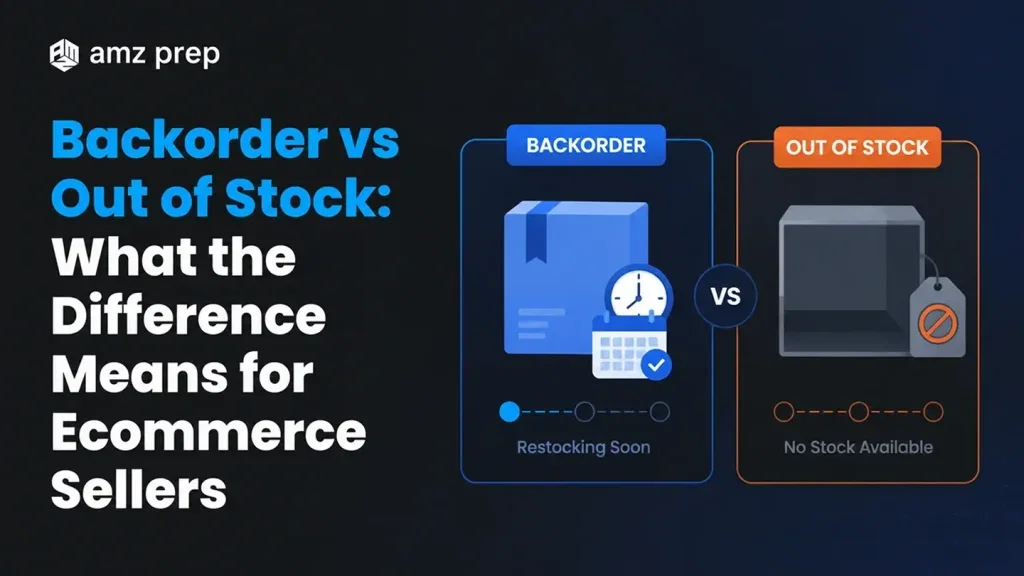
A backorder means the product is temporarily unavailable but has a confirmed restock path. The customer can still place an order. Fulfillment happens once inventory arrives. Out of stock means no inventory exists and no restock date is confirmed. The listing goes dark. Orders stop.
Knowing which situation you are in changes every decision that follows.
What Does ‘On Backorder’ Mean?
An item on backorder is temporarily out of stock but has a confirmed restock date. The seller accepts orders against inbound inventory. Fulfillment happens when stock arrives, usually inside a window the seller commits to at checkout.
For the full definition, causes, and Amazon FBA playbook, see our guide on what is a backorder.
What Does Out of Stock Mean?
Out of stock means no inventory is available and no restock date is set. The product cannot be ordered. On Amazon, this suppresses the listing and loses the Buy Box until stock returns.
Out-of-stock periods can be temporary (supplier delay) or permanent (SKU discontinuation, sourcing change). The distinction from a backorder is the absence of a confirmed restock path.
Backorder vs Out of Stock: Key Differences
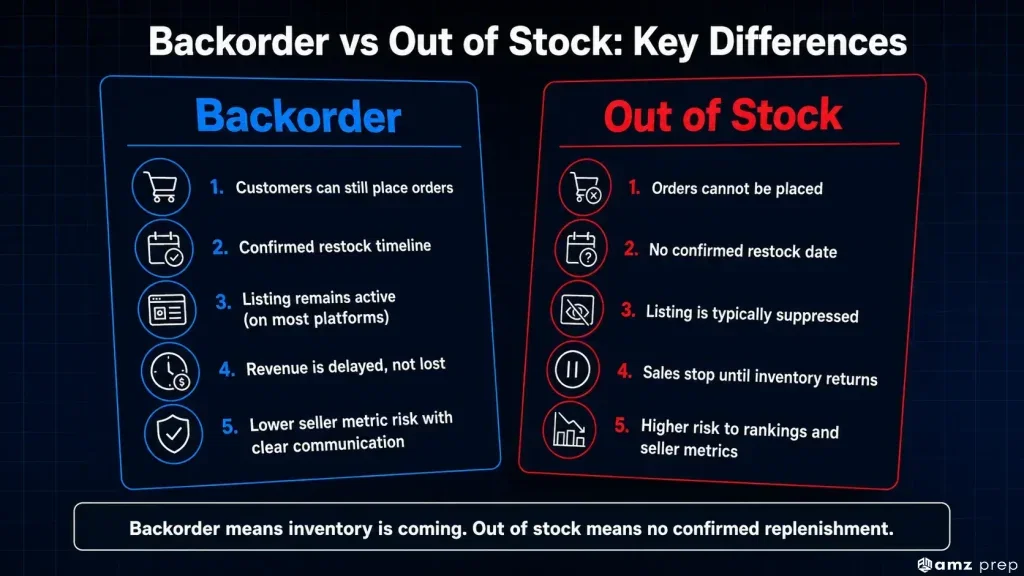
| Factor | Backorder | Out of Stock |
|---|---|---|
| Customer can order | Yes | No |
| Restock timeline known | Yes | No |
| Listing stays active | Yes (on most platforms) | No (listing suppressed) |
| Revenue impact | Delayed, not lost | Lost until restocked |
| Amazon Buy Box | Retained if metrics hold | Lost |
| Customer communication required | Yes, proactively | Yes, if orders were placed |
| FBA implication | Inventory inbound, shipment planned | No inbound shipment scheduled |
| Seller metric risk | Low if communicated well | High if prolonged |
The table above covers the operational reality of each status. Both require action. The type of action differs significantly.
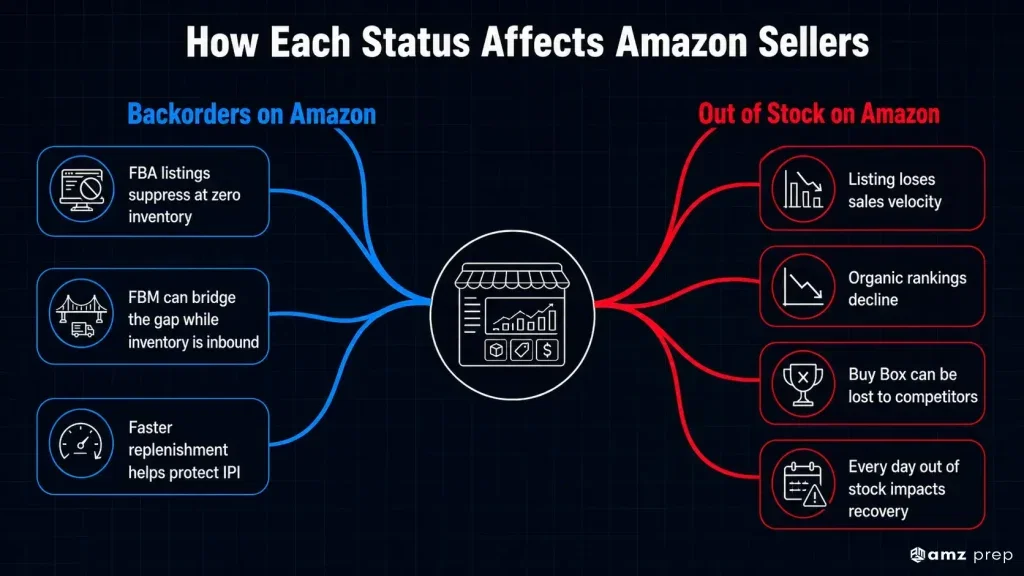
How Each Status Affects Amazon Sellers
Backorders on Amazon
Amazon does not have a native backorder status for FBA listings. When FBA inventory hits zero, the listing suppresses automatically. The practical workaround most sellers use is FBM (Fulfilled by Merchant) as a bridge. List the product FBM at a slightly higher price while FBA inventory is inbound. This keeps the listing live and preserves purchase history.
The critical metric to watch during any backorder period is your IPI score. If inventory turns slow because of delayed inbounds, your IPI takes a hit. Getting stock into Amazon fast, once it arrives, is the priority.
AMZ Prep’s Middle Mile service moves inventory from your prep center into Amazon FCs in 2 to 4 days. For sellers managing a backorder situation, that speed is the difference between a two-week listing gap and a two-day one.
Out of Stock on Amazon
Out of stock on Amazon has more serious metric implications. A suppressed listing stops accumulating sales velocity data. Competitors gain ground while your listing is dark. Longer stockout periods can also affect organic ranking, since Amazon’s algorithm factors sales history into search placement.
The priority with an out-of-stock situation is speed of replenishment above all else. Every day the listing is suppressed, rank is eroding.
How Long Does a Backorder Take?
Backorder timelines vary by product category, supplier location, and fulfillment chain. Most domestic supplier backorders resolve in 1 to 3 weeks. International restocks from Asia typically run 4 to 12 weeks depending on production lead times, shipping method, and customs clearance.
The clearer your inbound timeline, the better you can manage the backorder. Sellers with real-time visibility into inbound freight know when stock will arrive and can communicate accurate dates to customers. Sellers without that visibility guess, and guessing erodes trust.
If you are using AMZ Prep’s Navigate platform for inbound tracking, you have case-level visibility from your supplier through to Amazon check-in. That data makes backorder management a logistics problem instead of a guessing game.
How to Communicate Each Status to Customers
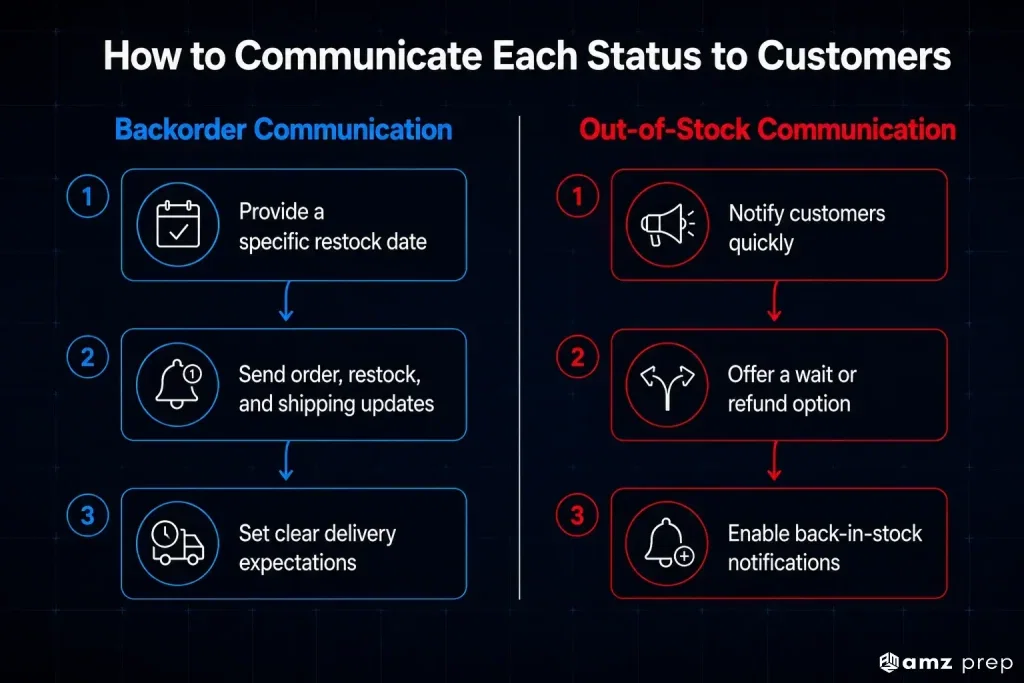
Backorders and out-of-stock situations both require proactive communication. The approach differs based on what you know.
Backorder Communication
Give customers a specific date, not a range. ‘Back in stock by March 14’ holds better than ‘shipping soon.’ Customers who know exactly when to expect their order cancel far less often than those left guessing.
For DTC stores, set up a three-touch email sequence: one at order confirmation, one when the restock lands, one when the order ships. This runs automatically and requires no manual follow-up from your team.
On Amazon, the FBM bridge listing described above handles this by default. The product stays purchasable. Customers see standard delivery estimates. No separate backorder communication is needed.
Out-of-Stock Communication
Reach out before customers reach out to you. If orders were placed before stock ran out, send an update within 24 hours. Give a clear choice: wait for the restock or receive a full refund. Customers who feel informed tend to wait. Customers who feel ignored leave negative feedback.
On Amazon, delayed responses to out-of-stock orders are one of the faster ways to accumulate A-to-Z claims. On DTC channels, a back-in-stock notification opt-in converts the moment from a lost sale into a warm lead. Klaviyo handles this natively with no custom build required.
How to Prevent Both Situations
Backorders and out-of-stock situations share a root cause. Inventory planning that does not account for actual lead time, demand swings, or fulfillment speed will produce both regularly.
The gap is rarely a sourcing problem. It is a timing problem. Sellers who know exactly how long their full replenishment cycle takes, from purchase order to Amazon shelf, can set reorder points that account for reality instead of best-case scenarios.
Three operational levers reduce the frequency of both:
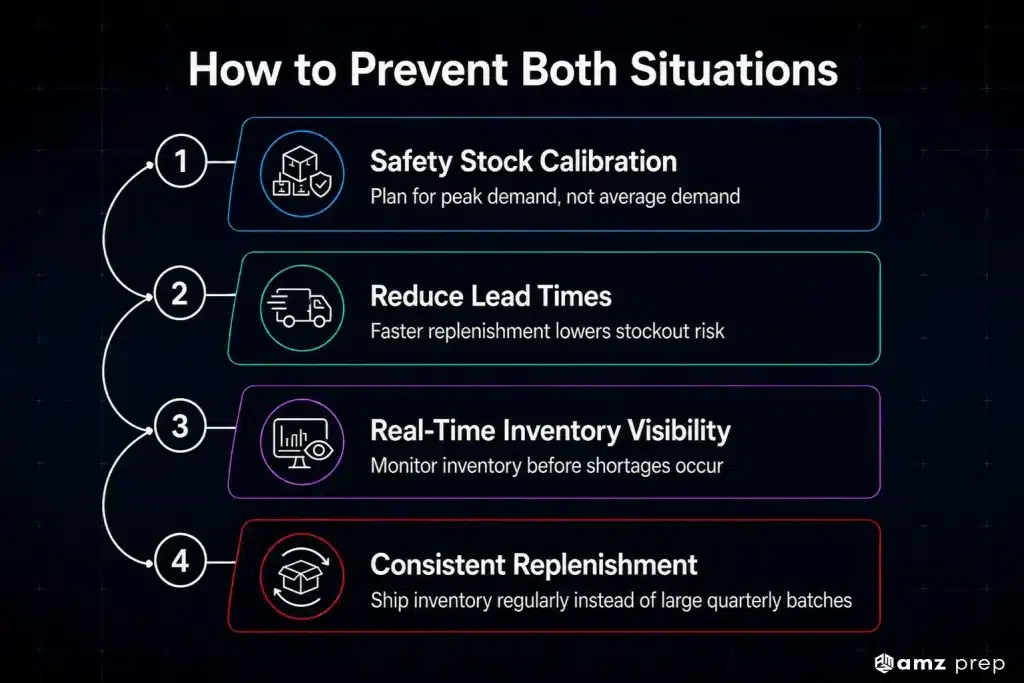
1. Safety stock calibration
Most sellers underestimate safety stock by calculating it against average demand. Peak demand weeks require a separate calculation. Safety stock should cover your 90th percentile demand week, not your average week.
2. Lead time reduction
The faster inventory moves from your supplier to your shelves, the smaller the safety stock buffer you need to carry. Faster inbounds mean tighter inventory positions without higher stockout risk.
3. Real-time inventory management
Sellers who catch low-inventory signals early have time to act. Sellers who catch them late are managing a stockout or backorder reactively. The difference is visibility frequency, not volume.
Drip-feeding inventory into Amazon on a weekly basis, rather than sending large quarterly drops, also smooths out the cycle. Consistent inbounds mean fewer zero-inventory gaps between replenishments.
Conclusion
Backorder vs out of stock is not just a labeling decision. It is an operational signal. One tells you demand is outpacing your supply chain speed. The other tells you your replenishment process broke down somewhere upstream.
Both are manageable. Neither has to become a revenue problem if you catch the signal early and act on it fast.
The sellers who handle these situations best share one thing: they know their inbound status in real time. They are not waiting for a warehouse email to find out where their inventory is. They have visibility from supplier to shelf, and they use that visibility to make decisions ahead of the stockout, not after it.
If your current setup has you finding out about inventory gaps when the listing suppresses, that is the problem worth solving first. Faster inbounds and real-time inventory management close most of the gap between a backorder situation and business as usual.
Frequently Asked Questions
What is the difference between backorder and out of stock?
A backorder means the product is temporarily unavailable but has a confirmed restock path, so customers can still order. Out of stock means no inventory exists and no restock date is set. Orders cannot be placed until stock returns.
Can customers order a backordered item?
On most ecommerce platforms, yes. Backordered items remain purchasable with a noted delay. On Amazon FBA specifically, listings suppress at zero inventory, so sellers typically use an FBM bridge listing to keep the product orderable during the backorder period.
How long does a backorder take?
Domestic supplier backorders typically resolve in 1 to 3 weeks. International restocks run 4 to 12 weeks depending on production lead times and shipping method. The timeline depends entirely on where the stock is coming from and how fast it moves through the fulfillment chain.
What does ‘item on backorder’ mean?
The product has no stock available right now, but inventory is either in production or already in transit. Orders placed during this window will ship once stock arrives. Most sellers communicate an estimated fulfillment date at checkout.
Is a backorder bad for sellers?
It depends on how it is handled. A clear restock date and early customer communication keep retention and metrics intact. The damage happens when sellers go silent, not when the stock runs out.
How do I prevent going out of stock on Amazon?
Set reorder points based on your peak demand weeks, not monthly averages. Factor in your full inbound lead time including freight, prep, and Amazon check-in. Faster inbounds from a prep center close to an FC reduce how much safety stock you need to carry.

Diggy oversees comprehensive fulfillment strategies for eCommerce brands at AMZ Prep, bringing deep expertise in warehouse operations and shipping optimization. His strategic background includes serving as account director at Slate Asset Management, where he developed unique insights that now enhance his supply chain optimization approach. At AMZ Prep, he works closely with supply chain teams to ensure seamless product availability during peak seasons and promotional events. His analytical expertise in fulfillment KPIs has helped brands reduce shipping costs by 20% while improving delivery reliability.


Comments