
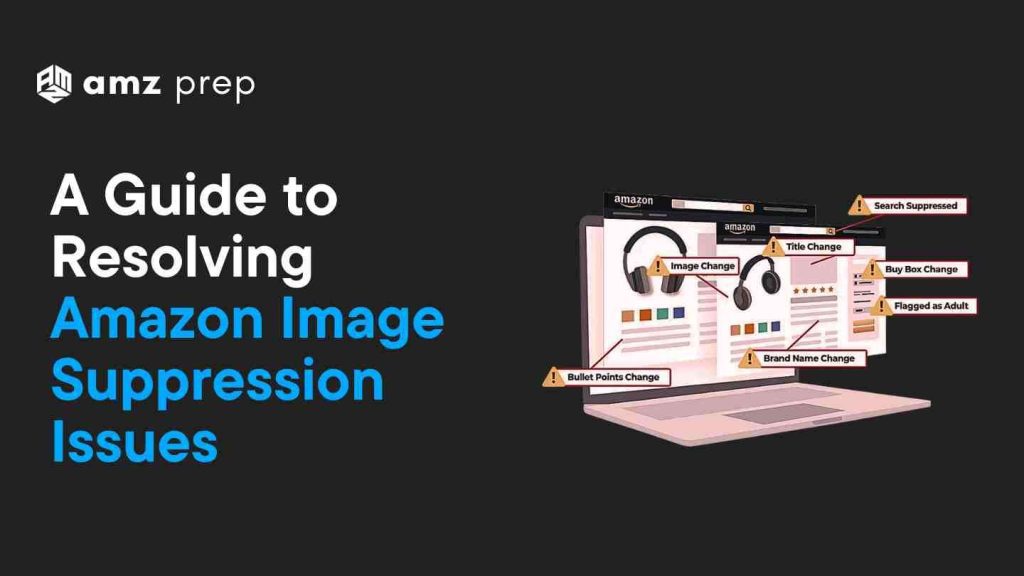
Hey there, sometimes the simplest of problems take up the most valuable of our time. If you’ve ever faced the frustrating issue of an image being suppressed on your Amazon listing. You understand what I am talking about, Worry not you’re not alone. It’s a common problem, but thankfully, it’s one that can be resolved with a bit of know-how.
What are Amazon’s Image Requirements
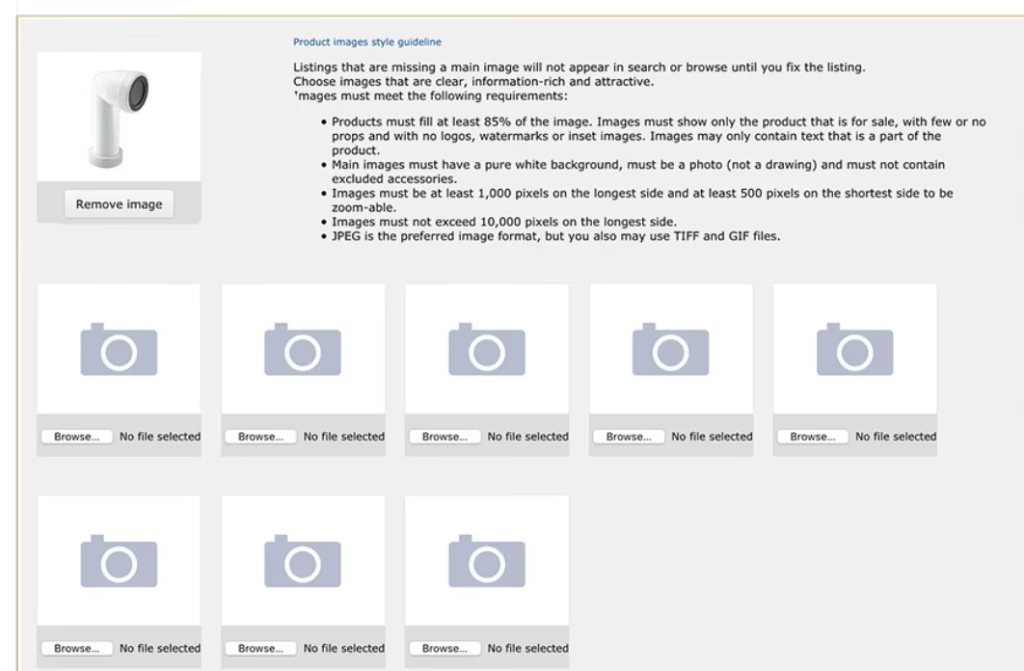
Let’s start with how to upload images to Amazon Seller Central as a Seller.
Step-by-Step Guide to Upload Images on Amazon
- Log into Seller Central
- Visit Amazon Seller Central and log in with your credentials.
- Navigate to Inventory
- Click “Inventory” in the top menu and select “Manage Inventory.“
- Select the Product
- Find the product you want to update and click “Edit” next to it.
- Go to the Images Section
- Scroll to the “Images” section of the product listing.
- Upload Images
- Click “Add Images” and select your images. Ensure they meet Amazon’s requirements
- Minimum Size 1000 pixels on the longest side.
- Recommended Size 2000 x 2000 pixels.
- File Formats JPEG, PNG, GIF, or TIFF.
- Maximum Size 10 MB.
- Click “Add Images” and select your images. Ensure they meet Amazon’s requirements
- Set the Main Image
- Choose the main image and ensure it has a pure white background and fills at least 85% of the frame.
- Save Changes
- Click “Save and Finish” to apply the changes.
- Monitor the Listing
- Check the listing after saving to confirm the images display correctly.
Why does my Amazon listing say suppressed?
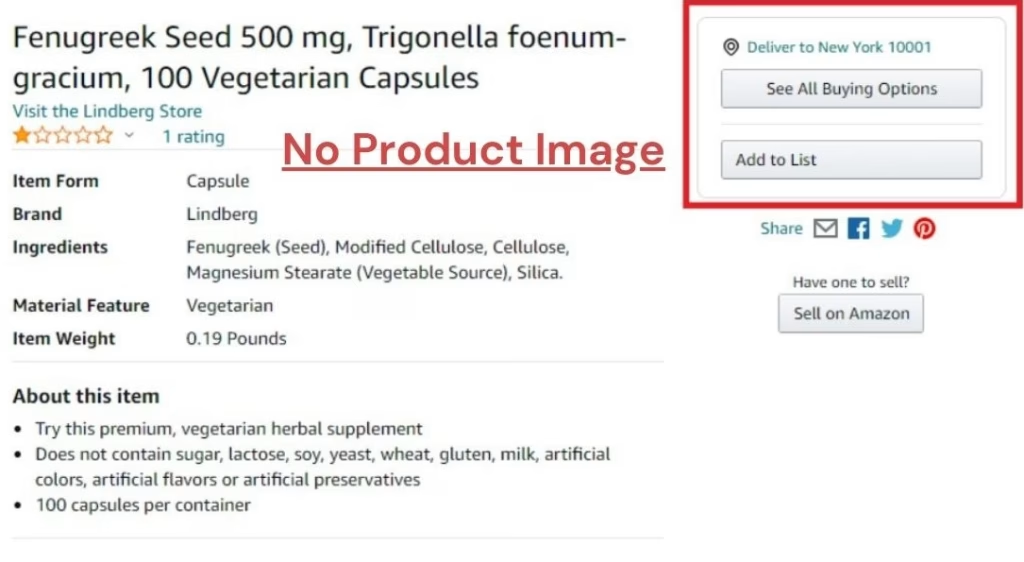
Your Amazon listing says “suppressed” because the listing doesn’t meet Amazon’s guidelines. Common reasons include a missing main image or images that violate Amazon’s image requirements. Check if your Amazon listing suppressed images are compliant, such as ensuring the image size and format meet the required standards.
Understanding Image Suppression
Amazon has some pretty specific rules when it comes to product images, whether you’re selling electronics or visual items like wall pics. If you want your listing to look great and stay visible, you’ve got to play by their rules.
1. Image Compliance
Amazon has strict guidelines for product images. Your main image needs to have
- A pure white background RGB value of 255, 255, 255.
- No logos or promotional text The image should focus solely on the product.
If your images don’t meet these requirements, they might be suppressed.
2. Technical Glitches
Sometimes, technical bugs can mess up your listings. Sellers have reported images being deleted after uploading new images, and the old image reappearing.
Don’t panic this could be due to system errors that make it seem like your images are not updated correctly. Try Amazon’s Image Manager tool, it might help you bypass some issues encountered with direct uploads and get your images uploaded correctly.
3. Miscommunication with Support
Dealing with Amazon Seller Support can sometimes be tricky. Sellers often find that Support cases are closed and the actual issue, even after multiple attempts remains unsolved. Often Responses remain unhelpful despite providing all the necessary details.
If you’re not getting the help you need try escalating the issue to higher-level support, often times escalating the issue to Amazon’s Catalog Service team can resolve persistent problems.
4. Competitive Sabotage
It’s also possible that Competitors are manipulating listings often by uploading non-compliant images, causing your images to be suppressed across different marketplaces.
While this is less common, it’s worth considering if you suspect foul play.
How to fix a suppressed listing on Amazon?
Image compliance is covered in detail in our complete guide on how to sell on Amazon, ensuring your listings stay active and generating sales.
To fix a suppressed Amazon listing image, visit the “Manage Inventory” section, identify the Amazon listing status suppressed image, and correct any issues like image size or content. Ensure your main image has a white background and fills 85% of the frame, then save the updates. You may need to remove the image background to ensure it meets Amazon’s standards.
What is a suppressed ASIN?A suppressed ASIN is a product identifier (ASIN) that Amazon has hidden from search results due to a compliance issue, often linked to problems with the Amazon listing image removed or other details missing from the product listing.
What are the Most Common Causes for Image Suppression?
| Cause | Description |
|---|---|
| Missing Main Image | A listing without a main image is incomplete. Amazon requires at least one main image with a plain white background. |
| Non-Compliant Images | Images that don’t meet Amazon’s standards, such as incorrect size or background issues, can lead to suppression. |
| Incomplete Product Details | Listings lacking essential information like descriptions, dimensions, or category types may be suppressed. |
| Policy Violations | Listings violating Amazon’s policies, such as selling prohibited items or using misleading images, can be suppressed. |
| Intellectual Property Issues | Listings may be suppressed if there are claims of trademark or copyright infringement. |
| Safety and Compliance Concerns | Products not meeting safety standards or receiving safety complaints may be suppressed. |
| Poor Customer Experience | High return rates or negative reviews can lead to suppression, as Amazon monitors customer feedback. |
What If Your Competitor Steals Your Image?
Let’s not beat around the bust, a competitor might try to sabotage your account and they might upload an intentionally bad image.
- Host the Original Image
Place your original image on your website. This serves as proof of ownership. Before uploading, it’s a good idea to enhance or watermark the image using a photo editor to establish your brand identity and discourage misuse.
- File an Infringement Complaint
Go to Amazon’s infringement complaint page. Provide a link to your image hosted on your website, or state that the image is your original creation and hasn’t been licensed to anyone else.
- Resubmitting Complaints
Sometimes Amazon may deny your complaint initially, citing “insufficient information.” Be prepared to resubmit with additional details, such as explaining that the image was reversed.
What is the meaning of “search suppressed” in Amazon?
“Search suppressed” on Amazon means that your listing won’t appear in search results due to missing or non-compliant product details, often related to Amazon-suppressed listing image issues. Address the missing information or correct image problems to restore visibility. You can find similar discussions and solutions on how to fix an Amazon-suppressed listing image in seller forums, where others share their experiences, or start your own thread to engage in a discussion and get personalized advice.
What are the Experiences of Other Sellers with Image Suppression
Let’s take a look at what the sellers are saying
Unexpected Suppression
One seller reported that their product, listed for years without issues, suddenly faced “Search Suppressed” status due to a missing main image. Despite compliant images, they faced suppression of other products the next day, suspecting competitors might be manipulating their listings.
Frustration with Support
Another seller reached out to Amazon support multiple times without effective solutions. Despite re-uploading images and waiting, their listings remained suppressed, and the lack of clear communication exacerbated the issue.
Impact on Best-Selling Products
A seller noted suppression affecting their best-selling products. Despite high-quality images, suppression impacted visibility and business performance.
How to Meet Amazon’s Image Resolution Standards
So to recap here are some best practices to adopt and free tools for resizing images
| Amazon’s Image Standards to be followed | |
|---|---|
| Resolution Standards | |
| Minimum Size | At least 1000 pixels on the longest side. For best results, aim for 2560 pixels. |
| Resolution | Maintain a minimum of 72 dpi. |
| File Size | Keep it under 10 MB. |
| Composition | Product should fill at least 85% of the image frame. Use a pure white background. |
| Best Practices for Resizing Images | |
| Start with High-Quality Originals | Begin with the best possible image quality to maintain clarity. |
| Maintain Aspect Ratio | Prevents distortion during resizing. |
| Use Appropriate Tools | Adobe Photoshop, GIMP for advanced resizing options. Online tools Resizing.app, Movavi Photo Editor. |
| Choose the Right Resampling Method | Use methods like “Sinc” interpolation in GIMP for better quality. |
| Save in the Right Format | Opt for lossless formats like PNG or TIFF for quality preservation. |
| Best Free Tools for Resizing Images | |
| GIMP | Open-source tool for high-quality resizing. Go to Image > Scale and choose Sinc as the interpolation method. |
| BeFunky | User-friendly tool for quick resizing. Upload image, go to Edit menu, and select Resize. |
| Resizing.app | Simple Chrome extension for resizing images directly in the browser. |
| BIRME | Ideal for batch processing multiple images simultaneously. |
| Promo.com’s Free Image Resizer | Easy to use with a drag-and-drop interface. |
| VistaCreate’s Image Resizer | Great for resizing images for social media and blog posts. |
How to Prevent Image Suppression in the Future
No one wants to deal with image suppression issues repeatedly. Here’s how to keep your images in check and avoid future problems
- Adhere to Amazon’s Guidelines
Always ensure your images meet Amazon’s technical requirements. Regularly review and update your listings to stay compliant.
- Maintain High-Quality Standards
Sell authentic products with accurate information. High-quality images and descriptions can improve your listing’s performance and reduce the risk of suppression.
- Regular Monitoring
Check your listings frequently to catch any issues early. Set up alerts to notify you if a listing is suppressed so you can address it promptly.
- Correct Issues Promptly
If you notice a suppressed listing, identify the reason by checking the “Fix Your Products” page in Seller Central. Make the necessary changes and recheck the listing status after 24 hours.
- Ensure Account Health
Keep your seller account in good standing by meeting Amazon’s performance targets. High customer satisfaction and timely shipments contribute to a healthy account.
Final Thoughts
Dealing with image suppression on Amazon can be a real headache—there is nothing more frustrating than seeing “Search Suppressed” on your best-selling product because of your product image. Solving the issue might not be easy at first but you got this guide and you made it this far. So Don’t Worry, Remember, you’re not alone in this. Follow this guide and soon you will be helping others solve these issues.

Rich Pearl is a Head of U.S Enterprise at AMZ Prep, drawing from his proven experience in the fulfillment industry gained at ShipBob. Rich helps provide strategic guidance and consultation to growing e-commerce businesses looking to master their logistics and achieve operational success.







Wow, wonderful blog layout How long have you been blogging for? You make blogging look easy. The overall look of your site is great as well as the content.
Haha, good to know Jason. It’s just a matter of “practice makes perfect”. Glad that you liked our article.